Pick stops on the map
Lands Department maps covered in stop pins. Tap one to see arrivals. Switch between topographic and aerial maps, and choose whether to show minibuses and ferries.
Find bus stops on the map, tap one, and check bus, green minibus and MTR arrivals. See stops near you, plan a trip on foot, direct or with one transfer, and follow the next stop while you ride. No account needed.
Free to download (contains ads) · App languages: English and Traditional Chinese
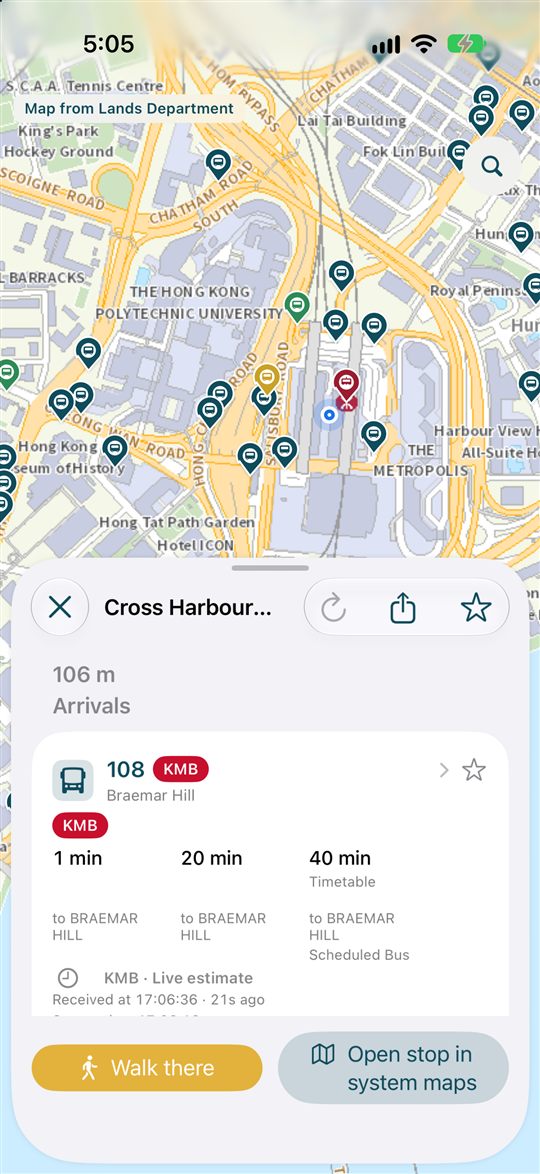
Real screen from the iPhone app.
Get a feel for the flow: pick a stop on the map and its arrivals appear. Everything below is sample data.
The map, stop names and route numbers are made-up samples for this demo.
Demo only. These are not real arrival times.
Four core features, plus a place to keep your regular stops. Feature descriptions are based on the iPhone app (version 0.0.14); the Android version may differ.
Lands Department maps covered in stop pins. Tap one to see arrivals. Switch between topographic and aerial maps, and choose whether to show minibuses and ferries.
Each arrival says whether it is a live estimate or timetable-based, with its source and the time it was received. Old and expired data is labeled, not hidden.
Search a route number like A21, a stop name or code, or a place, then filter by All, Bus, Minibus or MTR. Place names are also checked against the government place search.
Stops around you with distances. Pick a smart range or a set distance, combine transport modes and operators, and browse by stop or by route.
From a start and destination, find walks, MTR trips and rides with up to one transfer. Filter by All, Bus only or Rail only, then save or share the plan.
Built on the Lands Department 3D pedestrian route search: Recommended, Shortest, Barrier-free, Use stairs or Stay public. Reroute if you stray, or open the walk in system maps.
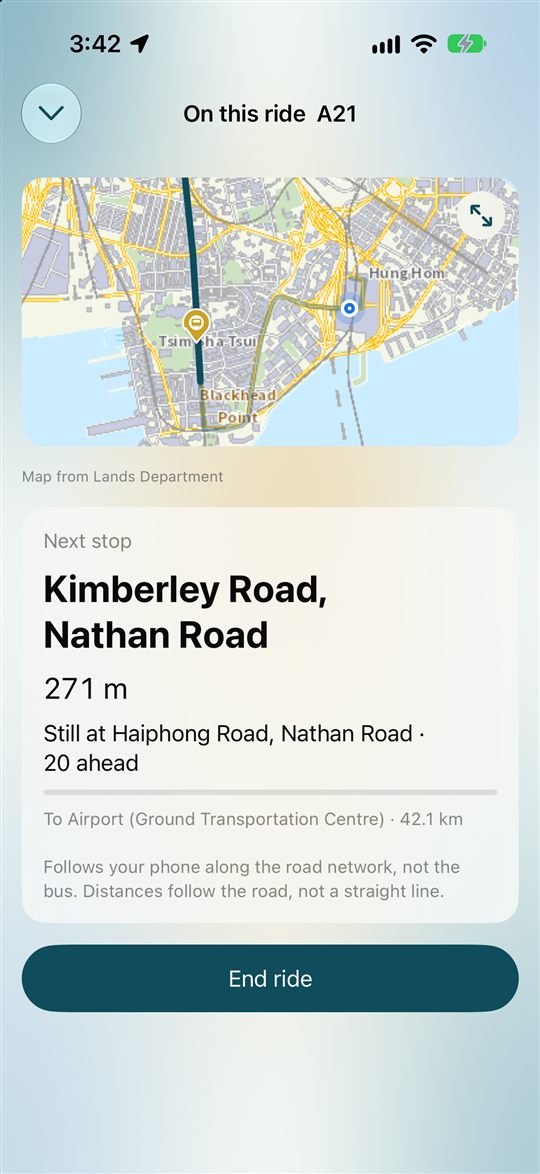
Tap “Start ride” and pick where you will get off. The app follows your phone along the route and shows the next stop and stops left. It does not track the vehicle itself.
Save stops, routes and trips. Home, work and places you name become one-tap trips. On iPhone, press and hold the app icon to jump to Nearby, Go or Favourites.
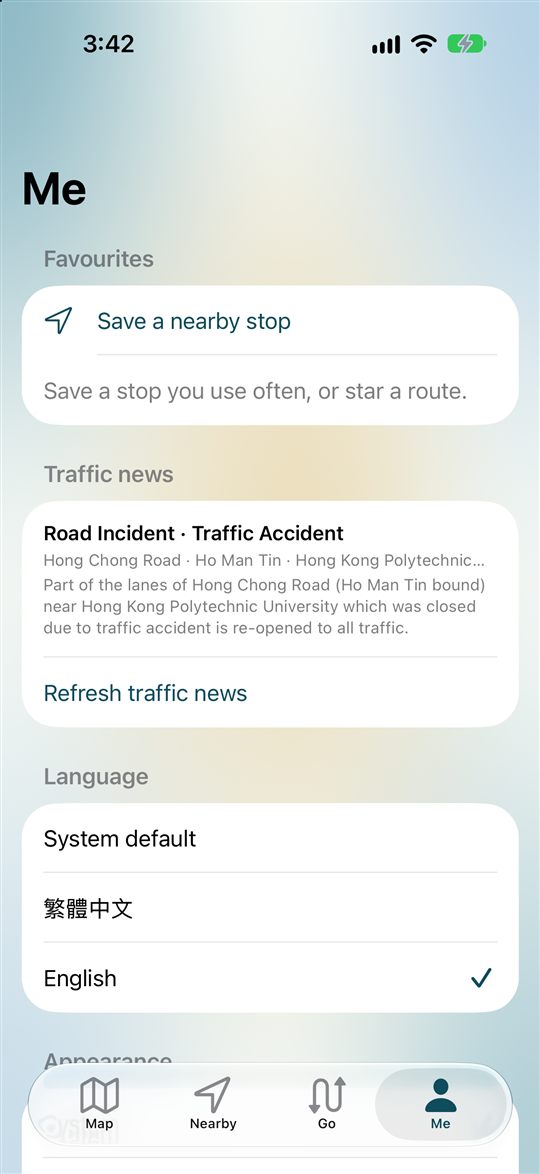
On iPhone, a Home Screen widget (small or medium) shows the nearest stop. In Me: special traffic news, language (system, Traditional Chinese or English), light or dark, text size, and a data saver.
Screens from the iPhone app. Swipe or scroll sideways to browse. The Android version may differ.
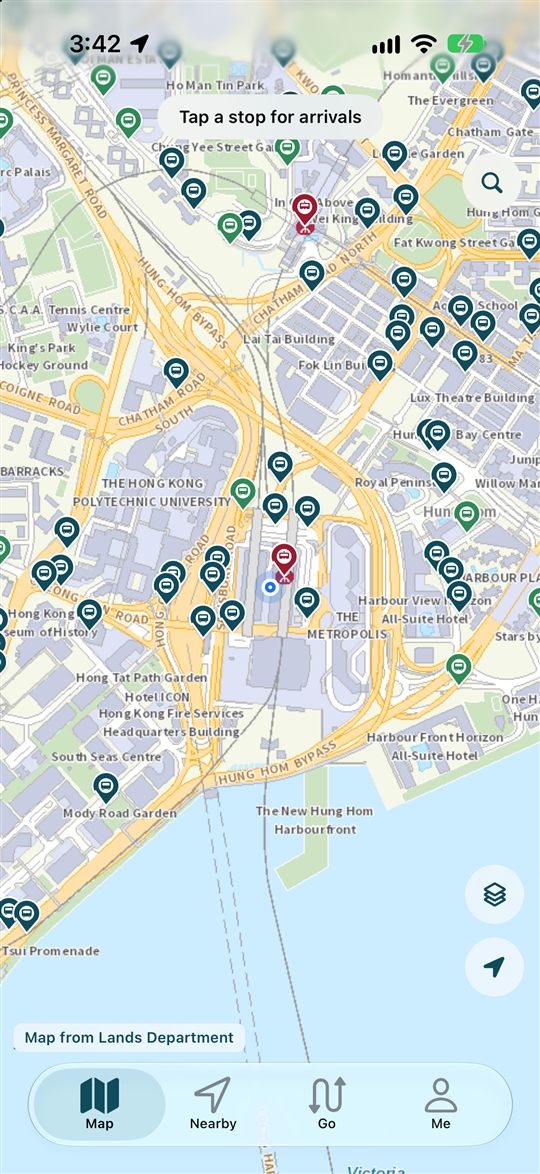
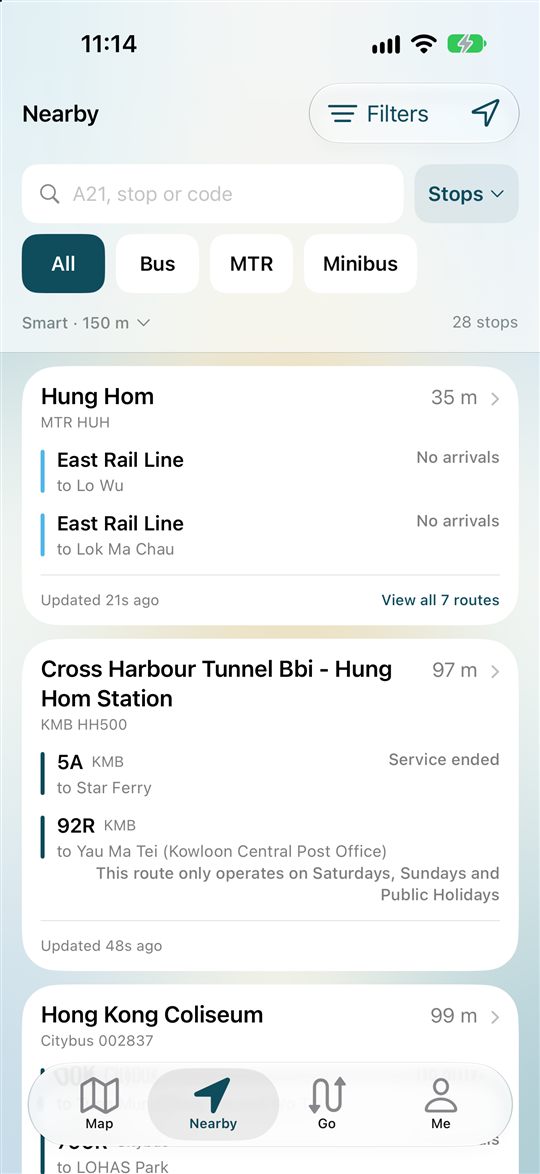
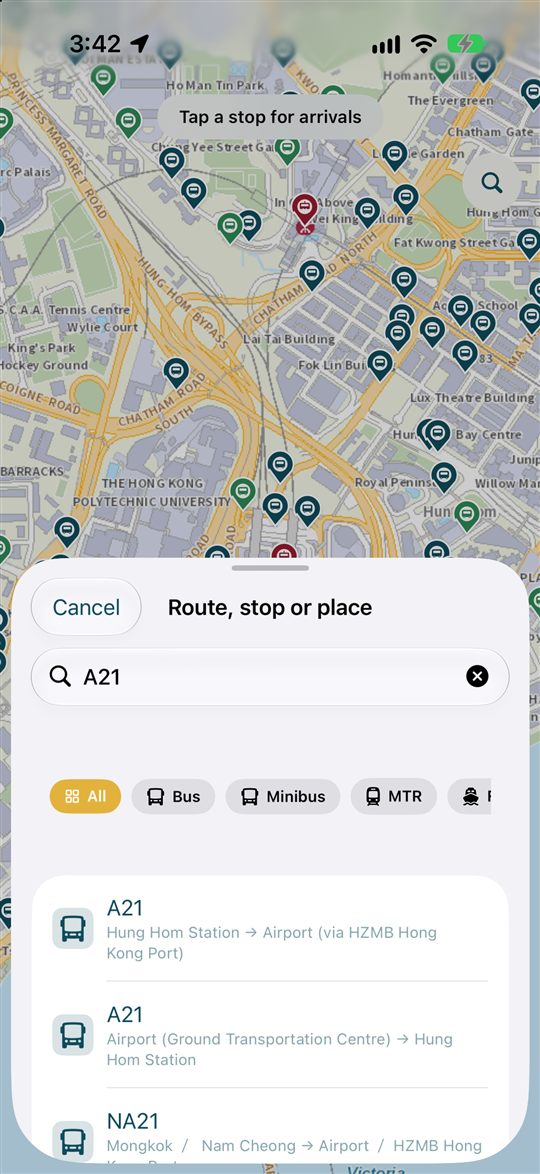
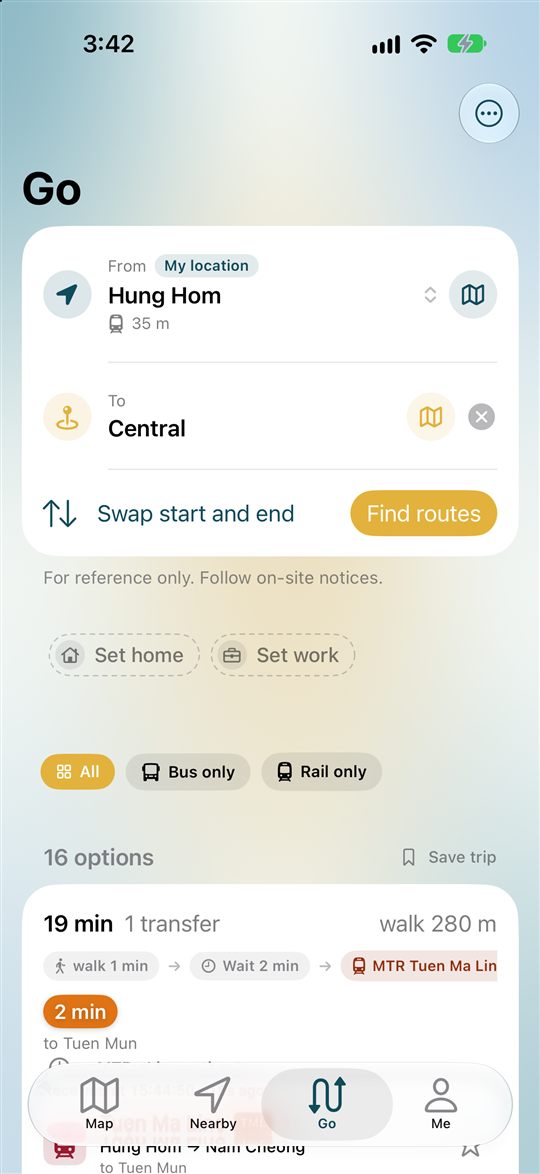
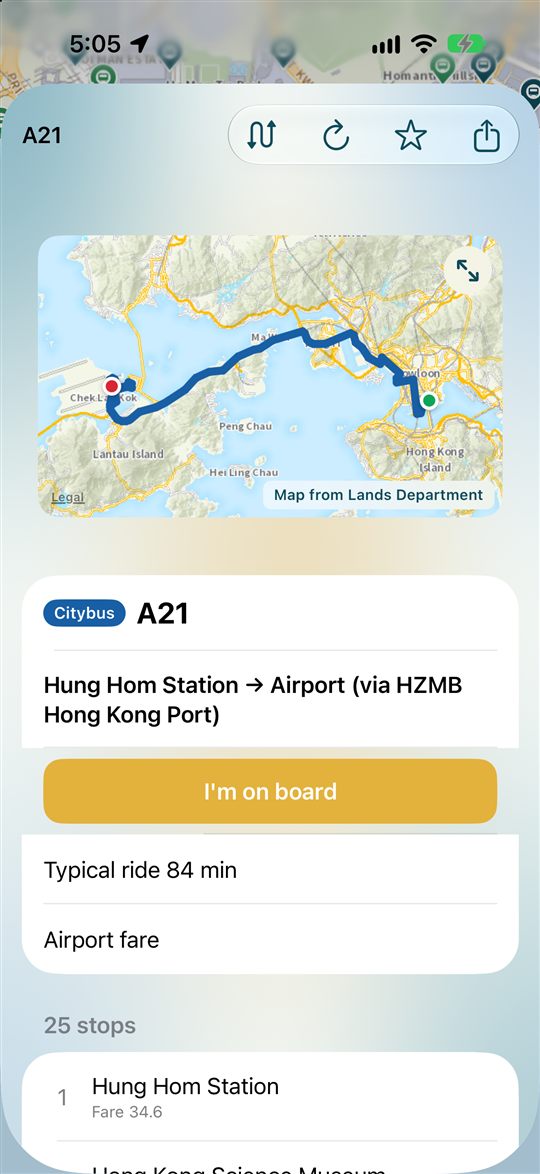
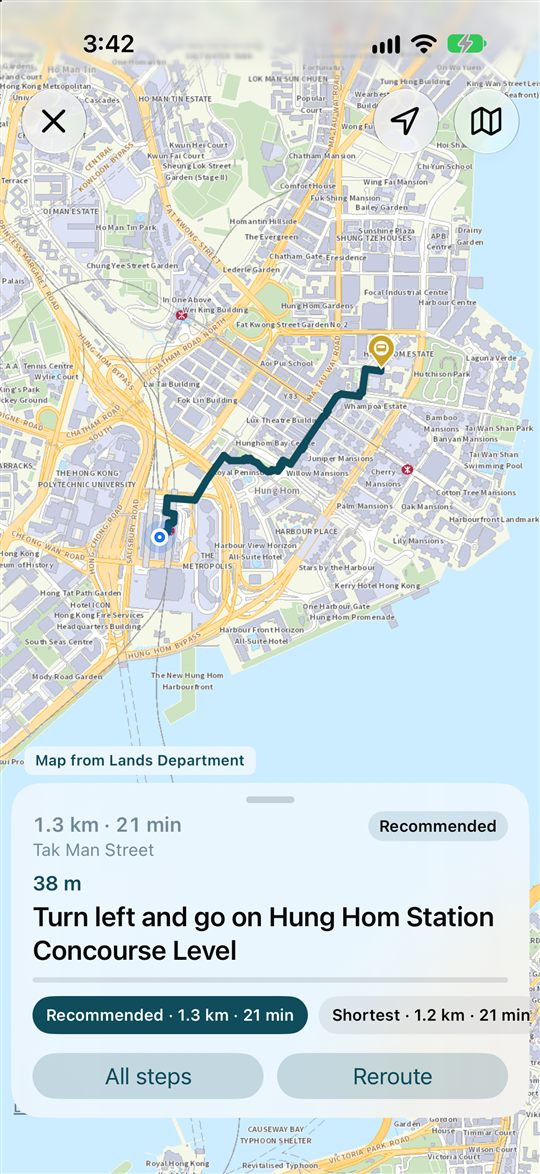
Three steps that work even in a neighborhood you’ve never visited.
Open Nearby to see stops around you. Prefer not to share location? Browse the map instead.
Tap a stop for bus and minibus arrivals, so you know which one to wait for.
Compare walking, a direct ride or one transfer. Tap “Start ride” and follow the next stop while you travel.
KongBus is client-only, as the app itself explains: your phone calls public Hong Kong data sources directly. There is no account and no Japality server.
Topographic and aerial map tiles, place search and 3D pedestrian route search. The screen shows “Map from Lands Department”.
Arrivals come from public data for KMB, Citybus, NLB, GMB and MTR (including Light Rail and MTR Bus). Ferries have no arrival feed.
Transport Department stop positions, DATA.GOV.HK route and fare tables, and special traffic news. The route list also draws on an independent community catalogue (hkbus.app) that is not affiliated with the developer.
KongBus is not an official app of the Government, the Transport Department or any operator. Routes, fares, arrivals and plans are for reference and may be incomplete or out of date. Follow on-site notices and the operator.
Route and stop data is bundled, so timetable-based trip planning works without a connection. Arrival times and place search need the internet. Check roaming or a local SIM before you travel.
Old data and timetable estimates are not live updates, and no delay label does not mean on time. Some services, such as ferries, have no arrival feed.
Choose System default, Traditional Chinese or English in Me. Other languages are not offered.
Allow it for nearby stops, walking guidance and ride mode. If you decline, iPhone shows an overview map of Hong Kong without pretending you are somewhere else, and Android falls back to a default area.
KongBus has no accounts and no app server that receives your trips or location history, as the app itself explains.
You’re never asked for an email address or phone number. Favourites and settings stay on your device.
Used for nearby stops, centering the map, trips and the next stop in ride mode. On iPhone it is only while the app is open, with no background location and no “Always” request. On Android, ride mode uses a foreground service until you end the ride.
The only ad is a banner on Me. On iPhone the app asks for tracking permission first, and if you decline it stays limited and does not use the advertising identifier. See the Android policy for how Android handles ads.
For the full details, read the privacy policy (iPhone · Android) and the App Privacy / Data safety sections on each store page.
Commute, school run, errands. Set home and work once, star the routes you take, and your daily check gets much faster.
Find the nearest stop and its arrivals in seconds.
Plan the trip, then save the places you return to.
Set home and work stops for the daily commute.
Compare walking, direct and one-transfer options.
No account needed. Just open it.
Both store pages list KongBus as free.
Contains ads (one banner on the Me screen). Check each store page for in-app purchase details.
Based on the US App Store and Google Play listings as of October 2026. Check the stores for the latest.
Yes, it is free to download and use. The only ad is one banner on the Me screen (More on Android). On iPhone, the app asks for tracking permission before it loads. Check each store page for in-app purchase details.
No. KongBus never asks you to register an email address or phone number.
English and Traditional Chinese.
Route and stop data is bundled with the app, so timetable-based trip planning works without a connection. Arrival times, place search, map tiles and traffic news need the internet.
No. If you allow it, location is used to show nearby stops, center the map, guide you on foot, plan trips, and update the next stop after you tap Start ride. On iPhone this is only while the app is open; on Android, ride mode can use a foreground service until you end the ride. If you decline, the app still works: iPhone shows an overview map of Hong Kong and Android falls back to a default area.
Arrivals come from public data for KMB, Citybus, NLB, GMB (green minibuses) and MTR, including Light Rail and MTR Bus. Some services, such as ferries, have no arrival feed.
iPhone and iPad running iOS 18.0 or later (not verified on Mac). On Android, get it from Google Play and check the store page for supported versions.
Visit the support page or email japalitylimited@gmail.com.
Free, no account. Start by finding the nearest stop on the map.