KongBus is a free app for finding Hong Kong bus stops on a map and checking bus, minibus and MTR arrivals. There is no account, and the app is available in English and Traditional Chinese. This guide walks through the situations residents run into every day. It describes the iPhone app (version 0.0.14); the Android version may differ.
1. Set up once
Save home and work
In the Me tab, open Places and set Home and Work. You can search for a place, move a pin on the map, pick the nearest stop, or use your current location. Saved places then appear as one-tap destinations on Nearby, Go and Lookup.
Name the places you visit often
Use Add saved place to pick from templates such as School, Gym, Shopping, Clinic, Cafe, Library, Park and Family, and change the icon and color. They work like Home and Work: one tap starts a trip.
Language, appearance and text size
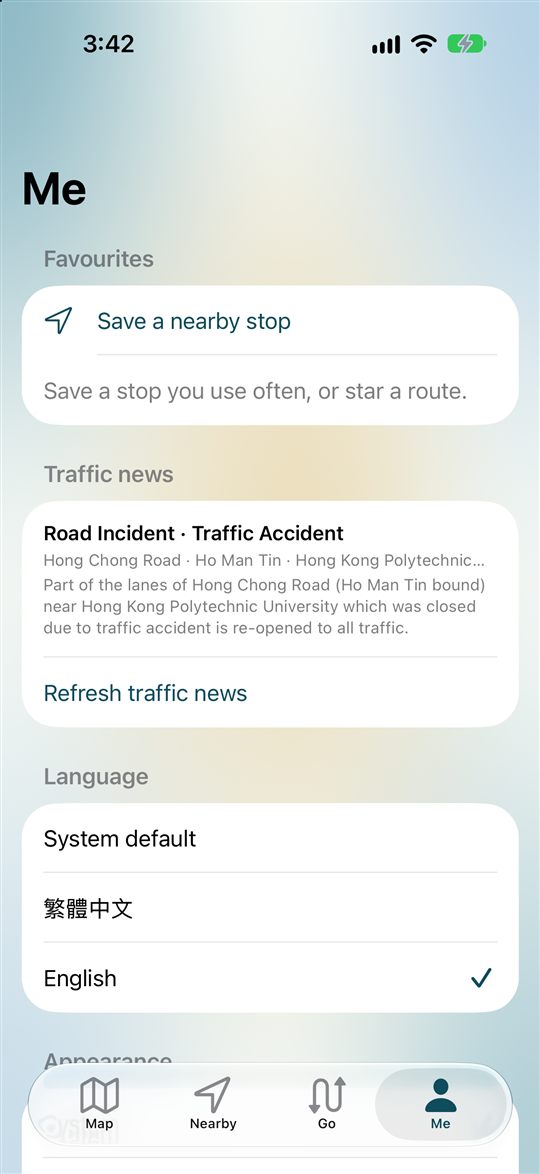
Under Language in Me, choose System default, Traditional Chinese or English. Light or dark, text size (Large or Extra large) and haptics (off by default) are in the same place.
Location when you need it
Location powers nearby stops, walking directions and ride mode. On iPhone it is used only while the app is open. If you decline, the app still works: iPhone shows an overview map of Hong Kong, and Android falls back to a default area.
2. Speed up your daily trips
- Star your routes. The star on a route screen saves it to your favourites in Me.
- Save your stops. Star a stop on its screen, or use “Save a nearby stop” in Me.
- Save regular trips. Tap “Save trip” on a Go result, and find it again in the Favourites list in Me, marked with a bookmark.
- Add the widget. On iPhone, a small or medium Home Screen widget shows arrivals for the nearest stop. It shows what the app last loaded, so open the app if the time looks old.
- Use the icon shortcuts. On iPhone, press and hold the app icon to jump to Nearby, Go or Favourites.
3. How to read arrivals
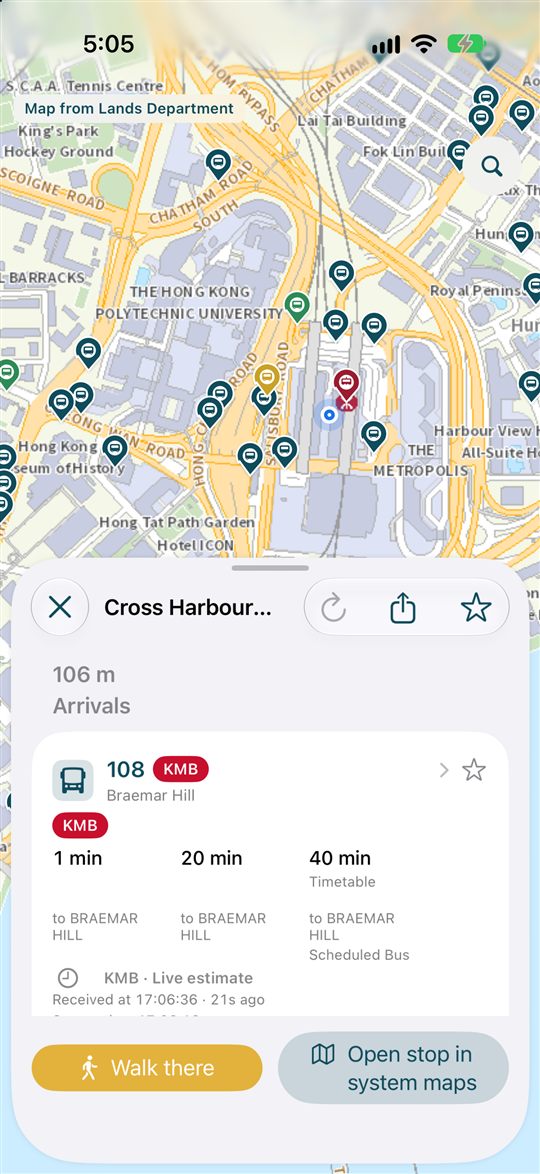
KongBus shows not only an estimate but also where it came from. Knowing the labels helps you decide whether to wait or walk.
- Live estimate: based on operator data. The source (for example KMB) and the time it was received are shown.
- Timetable: based on the timetable, not a live update.
- Old data / Expired: needs a refresh. Use the refresh button to fetch again.
- Operator delay notice: shown when the operator reports a delay. No label does not mean the bus is on time.
- Terminus unverified: shown when the same prediction has conflicting termini. Check the vehicle’s destination before boarding.
Arrivals, fares and trip plans are for reference only. Follow on-site notices and the operator.
4. Transfers and the MTR
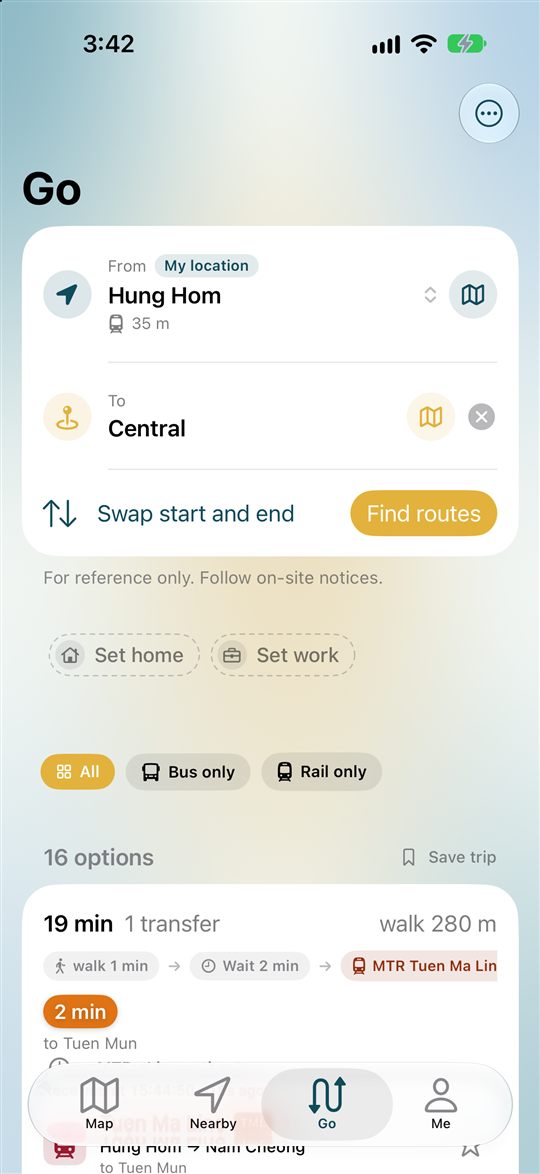
On Go, enter a start and a destination and tap Find routes. You get walks, MTR trips and rides with up to one transfer, each with its time, number of transfers and walking distance.
- All / Bus only / Rail only: narrow the options to what you prefer.
- Swap start and end: flip a trip in one tap, handy for the way home.
- My location as the start: the start point follows your phone.
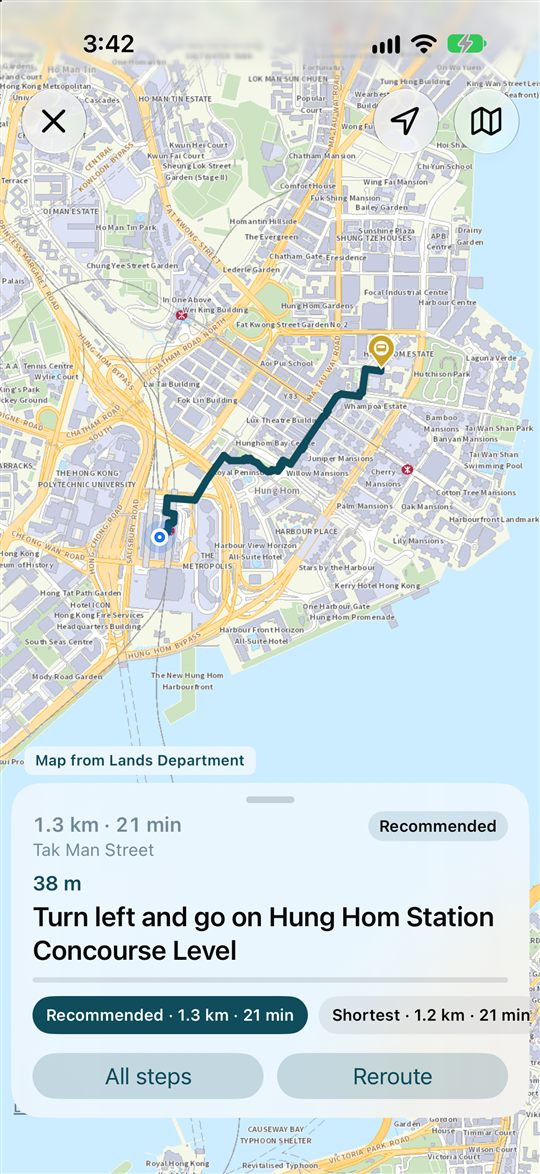
- Walking route types: built on the Lands Department 3D pedestrian route search: Recommended, Shortest, Barrier-free, Use stairs and Stay public. Tap Reroute if you leave the path.
5. Using ride mode
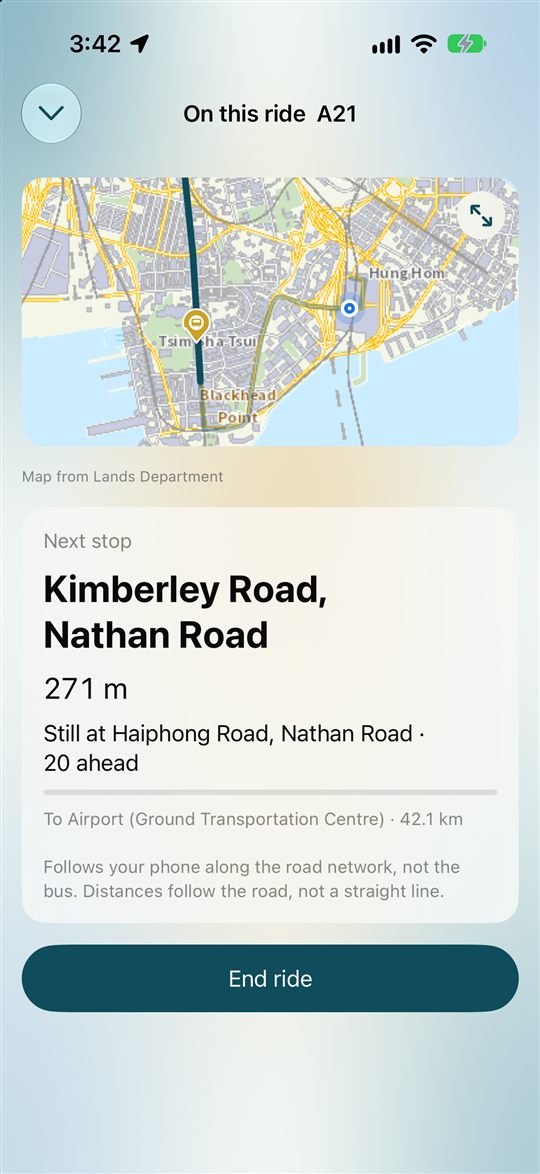
On a route screen, tap I’m on board (or Start ride) and pick the stop where you will get off. The app then shows the next stop, the distance to it and the stops left. It follows your phone along the route, not the bus itself, and on iPhone uses location only while the app is open. On Android, ride mode can use a foreground service until you end the ride.
It is not a guaranteed wake-up alarm. When the signal is weak, the app tells you it is using your last position.
6. Service notes and news
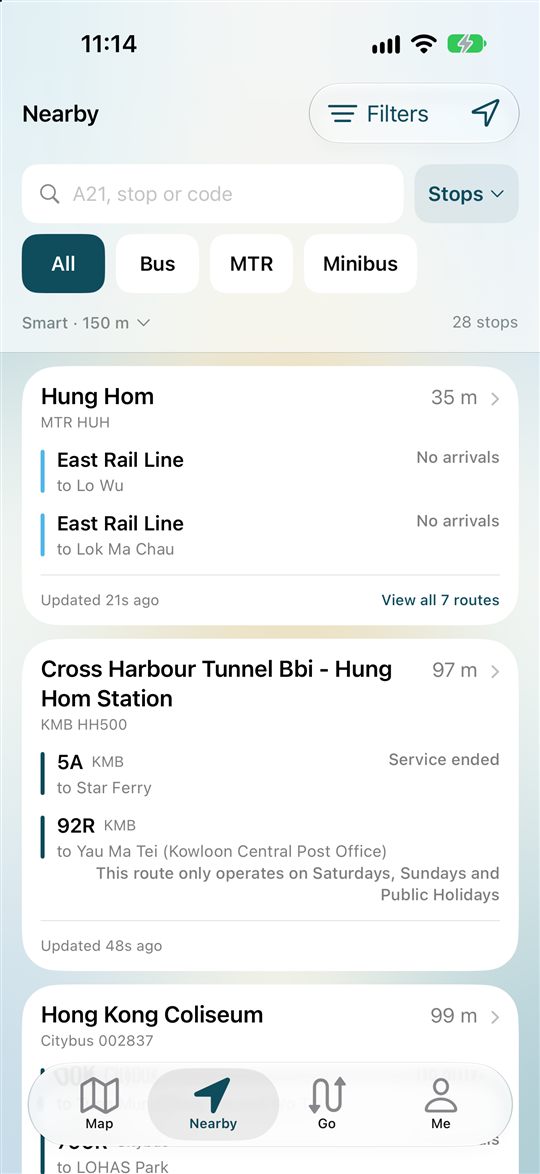
- Nearby notes: stops can carry notes such as “Service ended” or routes that only run on weekends and public holidays.
- Special traffic news: the Me tab shows special traffic news from the Transport Department (needs a connection).
- Ferries: ferries have no arrival feed. Arrivals are fetched for MTR, Light Rail and MTR Bus.
7. Data use and weak signal
- Route and stop data is bundled. Timetable-based trip planning works without a connection.
- Needs the internet: arrival times, place search, map tiles and traffic news.
- Data saver: fewer operator calls, reusing the last times so they keep counting down. Jams and diversions show up later.
- Route data updates: choose an auto-check interval of 6, 12 or 24 hours. The check runs when you open the app, and you can refresh by hand.
- Storage: auto-clean stale files after 3, 7 or 14 days (or off), or clear map tiles and temporary files.
8. Terms in the app
These are the screen names and labels you will see, with what they mean.
| In the app | What it means |
|---|---|
| Map | Pick a stop on a map. Tap a pin for arrivals. |
| Nearby | Stops around you, filtered by transport mode and operator. |
| Go | Plan a trip from a start to a destination. |
| Me | Favourites, saved places, language, data saver and more. |
| Lookup (magnifier) | Search routes, stops and places. The magnifier is on the map screen. |
| Live estimate | An estimate based on operator data, with source and time received. |
| Timetable | Based on the timetable, not a live update. |
| Old data / Expired | Needs a refresh before you rely on it. |
| Terminus unverified | The terminus data conflicts. Check the vehicle’s destination. |
| Walk there | Walking directions to the stop. |
| Start ride / I’m on board | Pick where you get off and follow the next stop. |
| End ride | Stop the ride view. |
| Fare / Typical ride | Shown on the route screen. |
| Service ended | A note in the Nearby list. |
| Bus only / Rail only | Filters on the Go screen. |
Operator names in Traditional Chinese
Signs and the Traditional Chinese interface use these names.
| In English | In Traditional Chinese |
|---|---|
| KMB | 九巴 |
| Citybus | 城巴 |
| NLB | 嶼巴 |
| GMB (minibus) | 專線小巴 |
| MTR | 港鐵 |
| Light Rail | 輕鐵 |
| MTR Bus | 港鐵巴士 |
| Ferry | 渡輪 |
KongBus is not an official app of the Government, the Transport Department or any operator. Routes, fares, arrivals and trip plans are for reference and may be incomplete or out of date. Screens shown are from the iPhone app; the Android version may differ.